
Backup Viewer
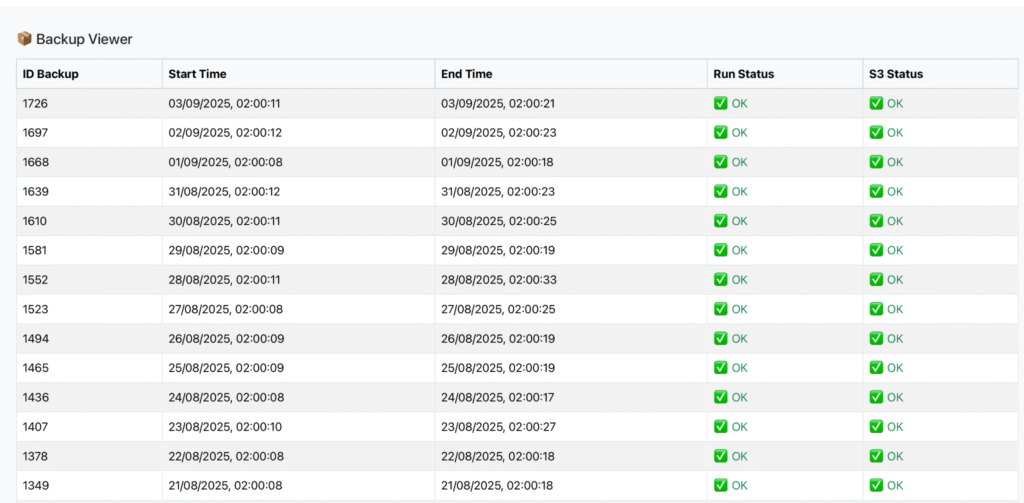
The Backup Viewer section of Pricelist Server allows you to easily and immediately monitor the status of daily automatic backups. The interface features a chronological table with the execution history and completion status.
🔎 Table Structure
The backup table consists of the following columns:
Backup ID – Unique sequential identifier of the backup.
Start Time – Date and time when the backup process started.
End Time – Date and time when the process was completed.
Run Status – Execution status of the backup on the server:
✅ OK = Backup executed successfully
❌ Error = A problem occurred during local saving
S3 Status – Status of the backup upload to remote storage (Amazon S3 or compatible):
✅ OK = Backup uploaded successfully
❌ Error = Remote upload failed
⚙️ Operation
Every day, the system performs an automatic backup of the Pricelist databases.
Upon completion, the files are compressed and saved locally.
Subsequently, the system uploads them to remote storage (S3) to ensure redundancy.
In the table, you can check the status of both phases (local and remote).